Kategoriler
-
Genel (79)WOLVOX (459)e-Dönüşüm (77)e-Ticaret (473)Bulut Yazılımları (135)Sektörel Programlar (61)Tasarım & Raporlama (1)Veritabanı & SQL (21)Donanım Entegrasyonları (55)İnsan Kaynakları & PDKS (19)Kurulum, Lisans & Bakım (31)Geliştirici (1)Yardım Dokümanları (15)Sürüm Notları (56)English Documentation (240) • WOLVOX ERP (132) • Barcode Sales (20) • E-Commerce (15) • Restaurant (15) • General Information (14) • CafePlus (11) • TaskPano (9) • MSSQL Server (6) • QR Menu (5) • End-Year Transactions (3) • Hardware Integrations (3) • WebConnect (2) • Hotel (2) • Control Panel (1) • Mobile Sales (1) • Sectoral Programs (1)
Wolvox Barcode Sales Customer Screen Script
In the beginning, Click on Admin-Custom Definitions-Script Package Transactions.
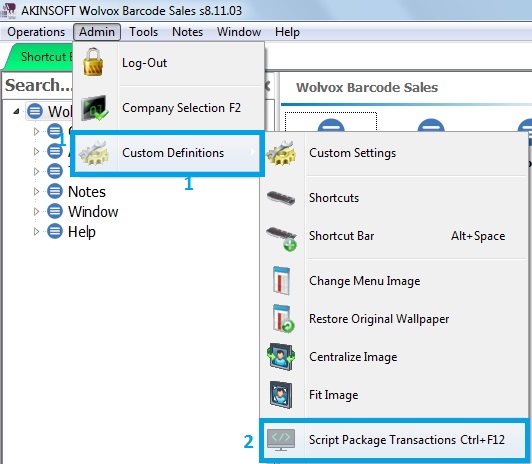
Script Selection screen showed up.
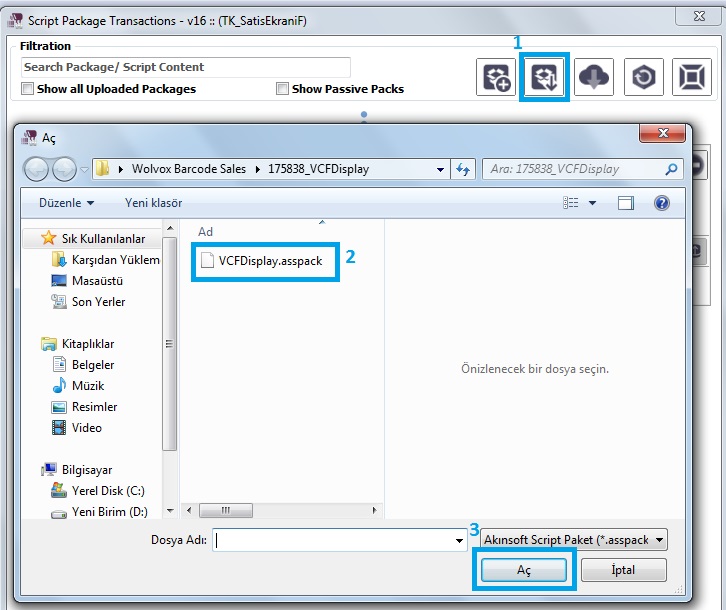
Firstly, click on Upload Package.
Secondly, select the script that you have downloaded.
Thirdly, open it.
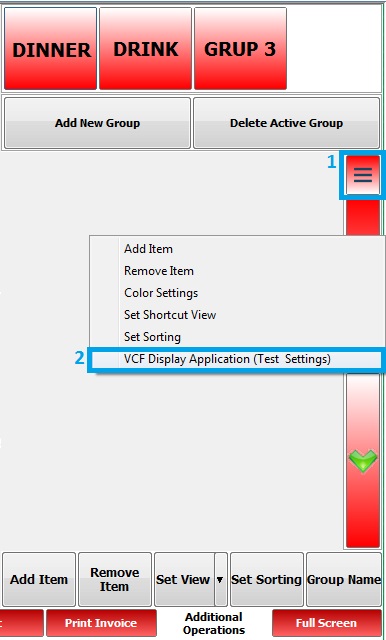
After that, open sales screen. Click on, design mode.
Furthermore, right click on and select the VCF Display Application (Test Settings)
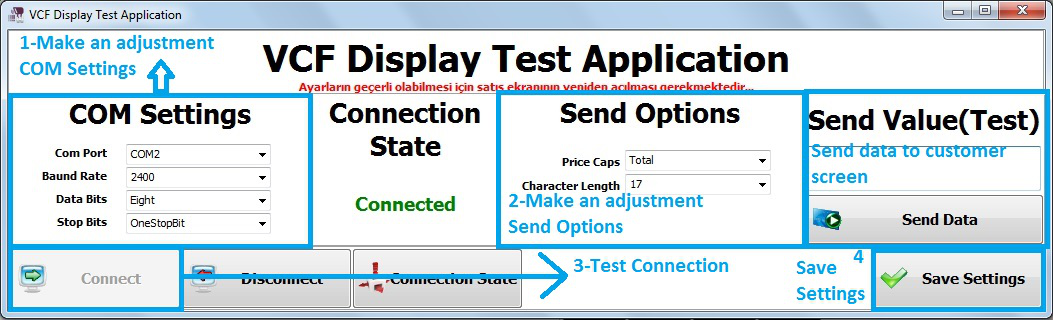
Finally, you reach the VCF Display Application Test Settings screen. You can do your options.
Kaynak: AKINSOFT Bilgi Bankası (KOD A3191) · güncellenme 27.03.2025
