Kategoriler
-
Genel (79)WOLVOX (459)e-Dönüşüm (77)e-Ticaret (473)Bulut Yazılımları (135)Sektörel Programlar (61)Tasarım & Raporlama (1)Veritabanı & SQL (21)Donanım Entegrasyonları (55)İnsan Kaynakları & PDKS (19)Kurulum, Lisans & Bakım (31)Geliştirici (1)Yardım Dokümanları (15)Sürüm Notları (56)English Documentation (240) • WOLVOX ERP (132) • Barcode Sales (20) • E-Commerce (15) • Restaurant (15) • General Information (14) • CafePlus (11) • TaskPano (9) • MSSQL Server (6) • QR Menu (5) • End-Year Transactions (3) • Hardware Integrations (3) • WebConnect (2) • Hotel (2) • Control Panel (1) • Mobile Sales (1) • Sectoral Programs (1)
How Do You Get The Product List Which Do Not Meet The Order Amounts?
You can simply report your product(s) which meet /do not meet the order amounts in your inventory on Wolvox ERP program.
You must use Order Reports – Order Delivery Report for this.
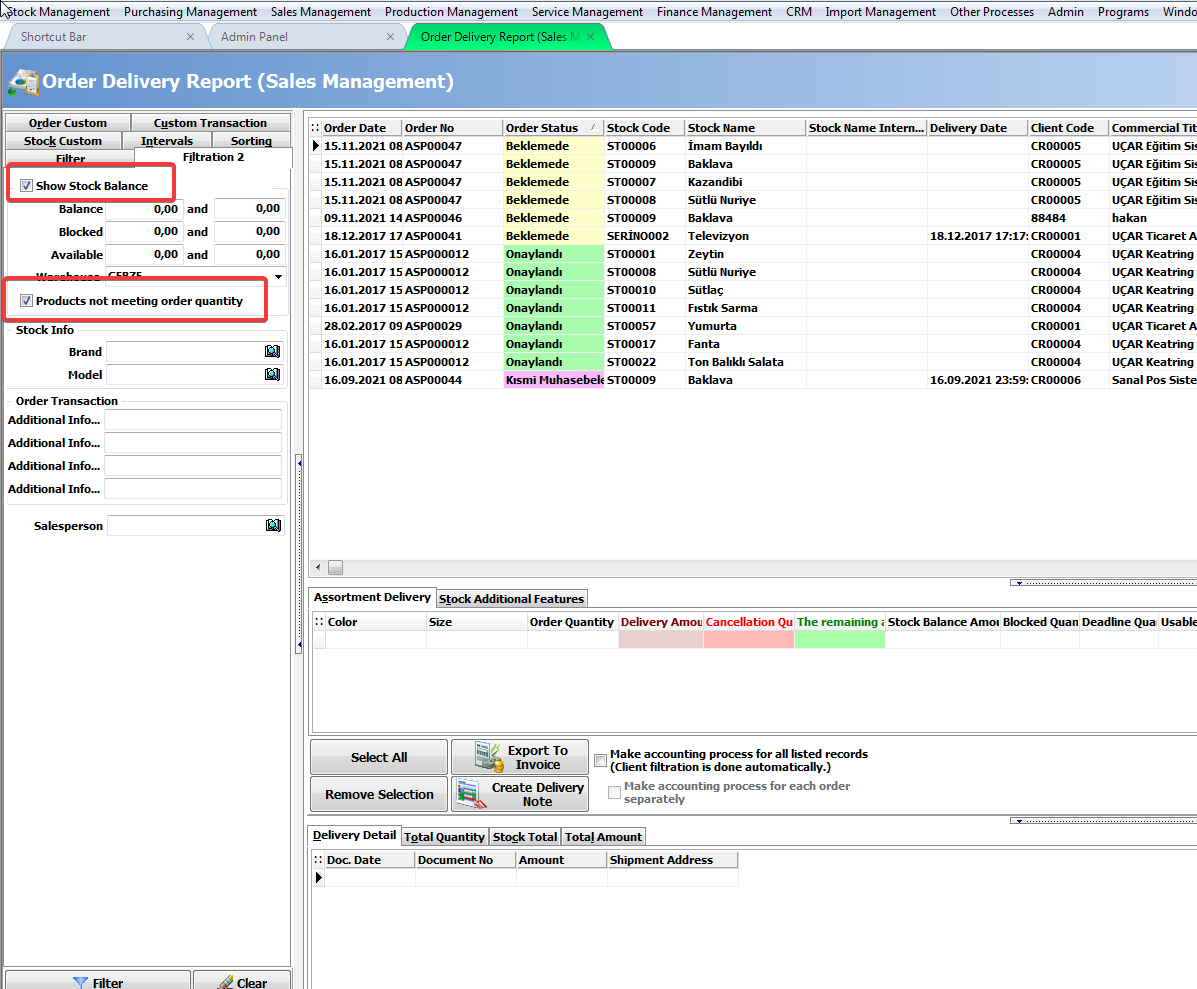
Filtering should be done by activating the "Show Stock Balance" and "Products not meeting order quantity" options in the Filtering 2 tab in the related report.
Kaynak: AKINSOFT Bilgi Bankası (KOD A3198) · güncellenme 27.03.2025
