Kategoriler
-
Genel (79)WOLVOX (459)e-Dönüşüm (77)e-Ticaret (473)Bulut Yazılımları (135)Sektörel Programlar (61)Tasarım & Raporlama (1)Veritabanı & SQL (21)Donanım Entegrasyonları (55)İnsan Kaynakları & PDKS (19)Kurulum, Lisans & Bakım (31)Geliştirici (1)Yardım Dokümanları (15)Sürüm Notları (56)English Documentation (240) • WOLVOX ERP (132) • Barcode Sales (20) • E-Commerce (15) • Restaurant (15) • General Information (14) • CafePlus (11) • TaskPano (9) • MSSQL Server (6) • QR Menu (5) • End-Year Transactions (3) • Hardware Integrations (3) • WebConnect (2) • Hotel (2) • Control Panel (1) • Mobile Sales (1) • Sectoral Programs (1)
Changing Table Views in the Restaurant Program
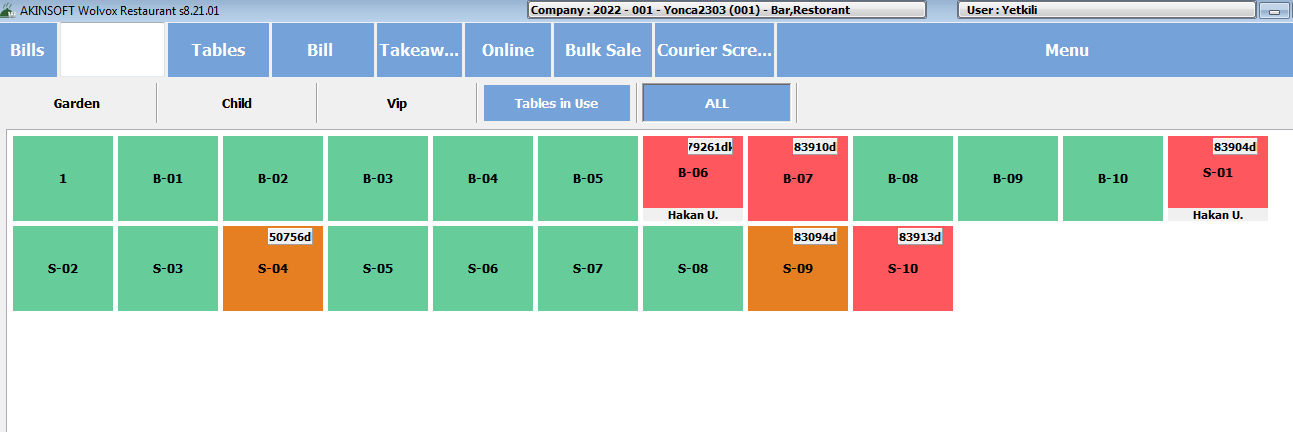
As seen on the screen below If you want to update our tables, which are opened only by color selection, with a table view, we need to follow the steps below.
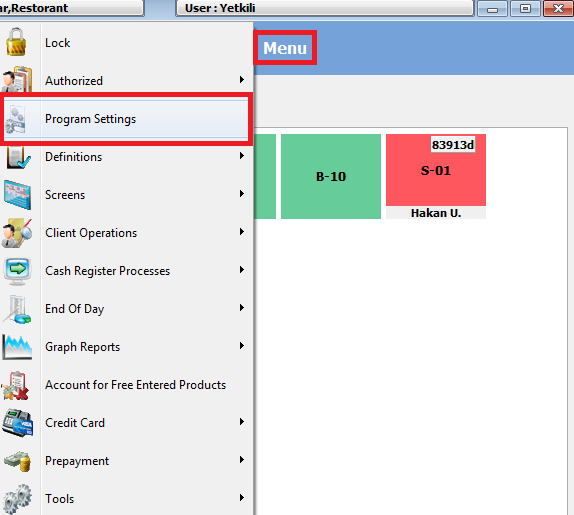
From Menu > Program Settings step
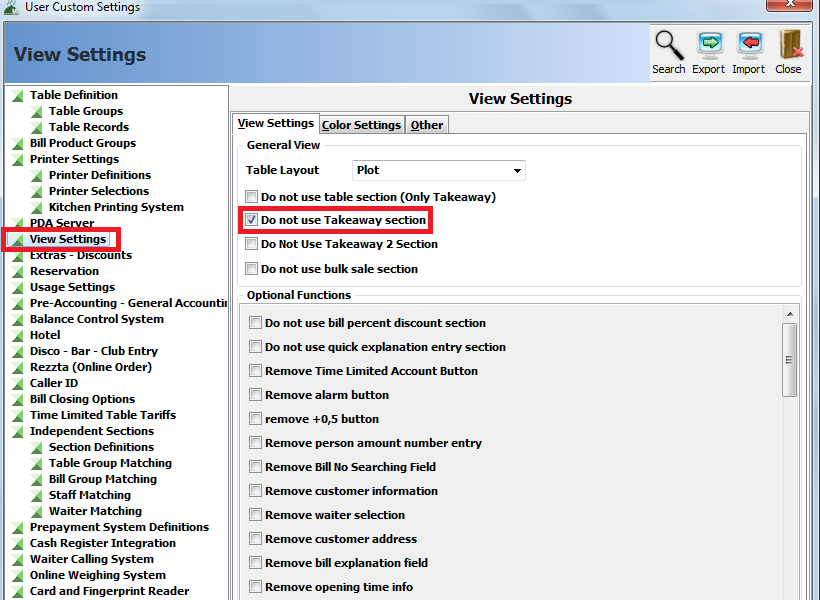
In the settings window, we enter the view settings and tick "Use Simple Table View".
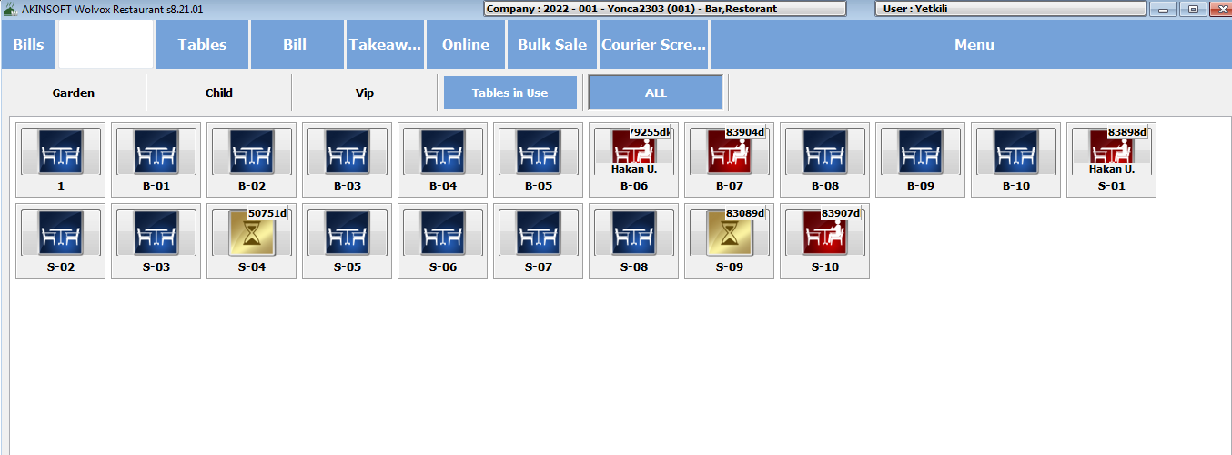
Then, after the necessary settings are made, you will have a view like the one below.
Kaynak: AKINSOFT Bilgi Bankası (KOD A3286) · güncellenme 03.04.2025
