Kategoriler
-
Genel (79)WOLVOX (459)e-Dönüşüm (77)e-Ticaret (473)Bulut Yazılımları (135)Sektörel Programlar (61)Tasarım & Raporlama (1)Veritabanı & SQL (21)Donanım Entegrasyonları (55)İnsan Kaynakları & PDKS (19)Kurulum, Lisans & Bakım (31)Geliştirici (1)Yardım Dokümanları (15)Sürüm Notları (56)English Documentation (240) • WOLVOX ERP (132) • Barcode Sales (20) • E-Commerce (15) • Restaurant (15) • General Information (14) • CafePlus (11) • TaskPano (9) • MSSQL Server (6) • QR Menu (5) • End-Year Transactions (3) • Hardware Integrations (3) • WebConnect (2) • Hotel (2) • Control Panel (1) • Mobile Sales (1) • Sectoral Programs (1)
Creating TaskPano Project and Project Settings
Creating Project
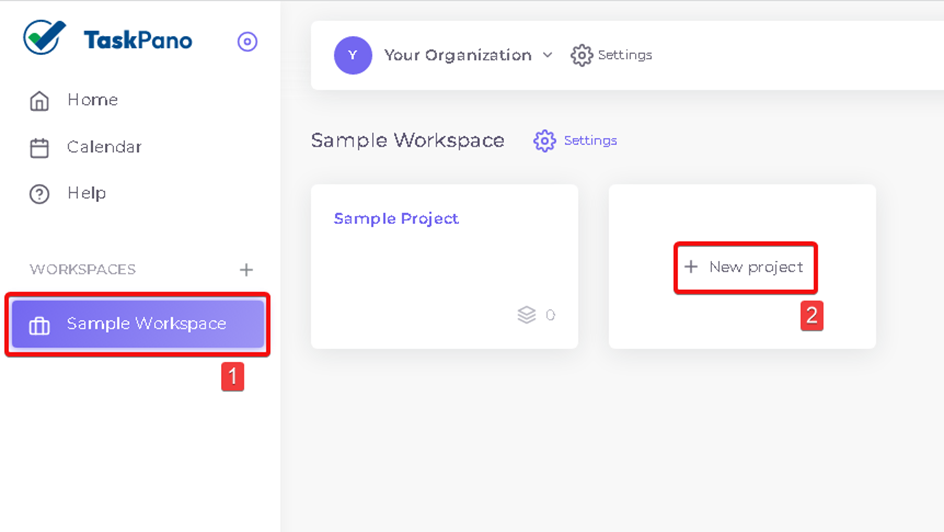
Follow steps in below to create a project in TaskPano.
1.After workspace you created before is selected from left side menu, press ‘New Project’ button.
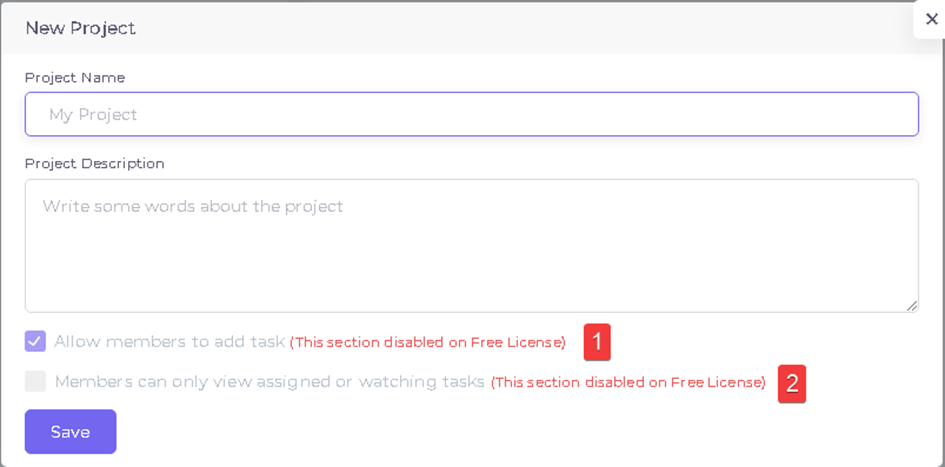
2.Give a name for your project and if necessary project description can be add.
3.Choose one of choices in below according to your working type.
- If number 1 field is selected, members can review tasks in project and add new task into project.
- If number 2 field is selected, members can only see tasks are assigned for them or tasks that they are watchers. If this field is not selected, members can see all tasks
Project Settings
1.Follow steps in below to reach project settings in TaskPano.
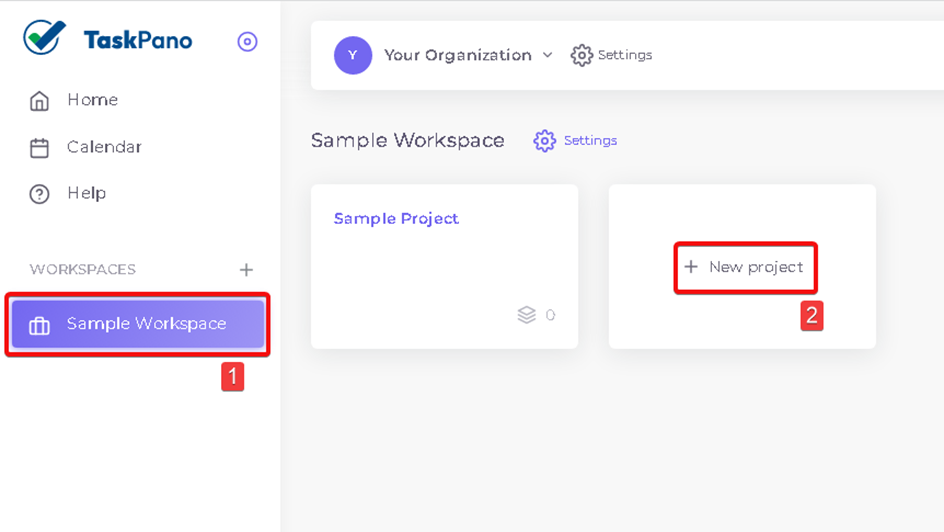
Press workspace from left side menu then choose project you want to set.
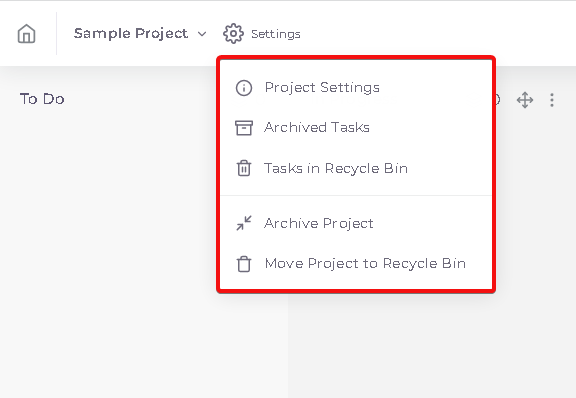
2.When you open the Project, press ‘Settings’ button near of project name.
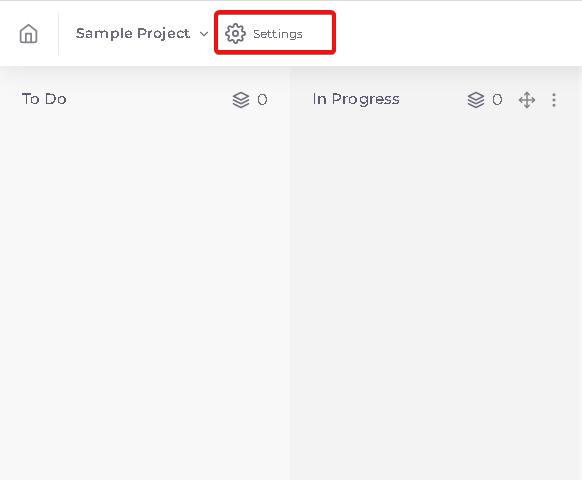
- Sub-choices in settings.
- Project can set by ‘Project Settings’.
- Archived Tasks can be seen by ‘Archived Tasks’.
- Deleted Tasks can be seen by ‘Tasks in Recycle Bin’.
- Project can be archived by pressing ‘Archive Project’.
- Project can be deleted by pressing ‘Move Project to Recycle Bin’.
3.Press ‘Project Settings’.
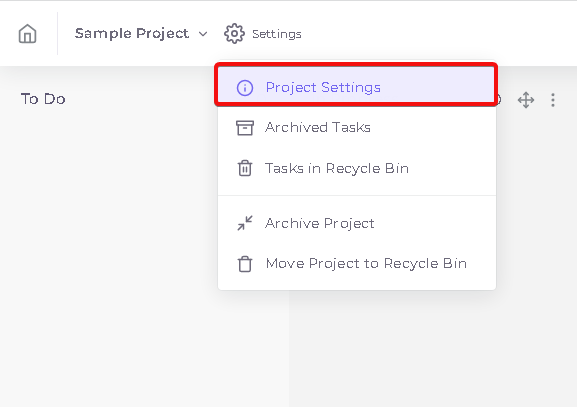
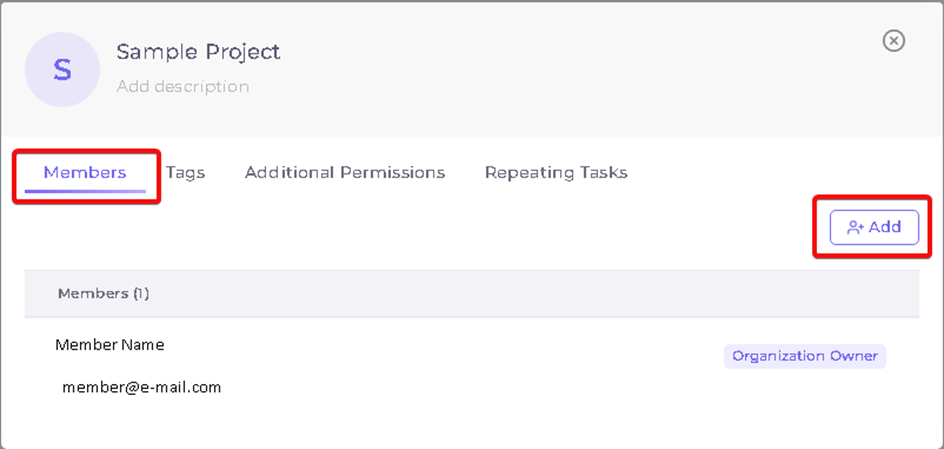
4.Project Settings;
-
- Members assigned in organization and added to workspace can be seen and added in ‘Members’ tab.
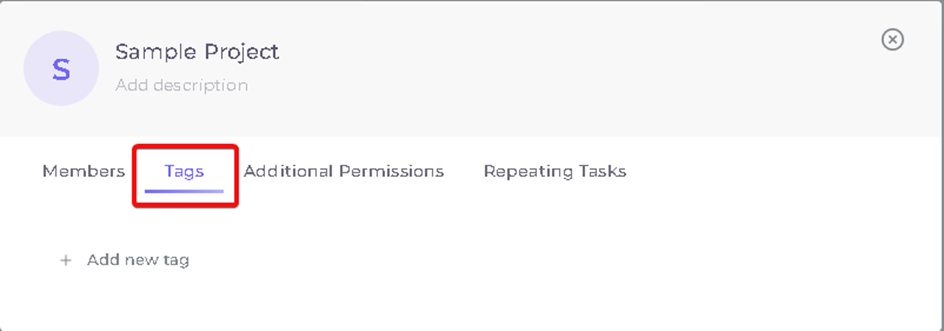
- Created tags can be edited and create new one in ‘Tags’ tab.
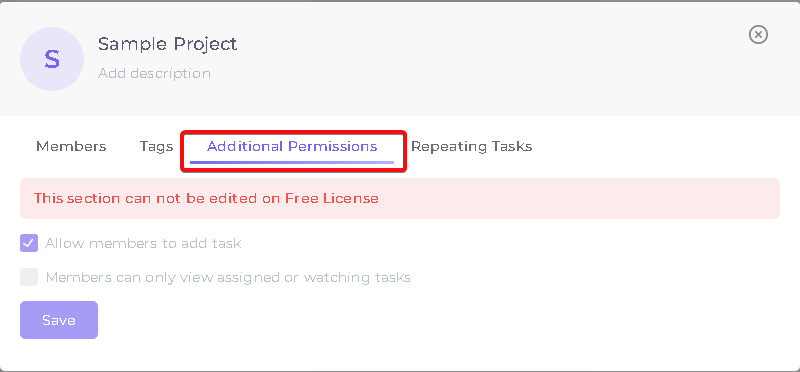
- Permissions you set while you are creating project can be edited in ‘Additional Permissions.
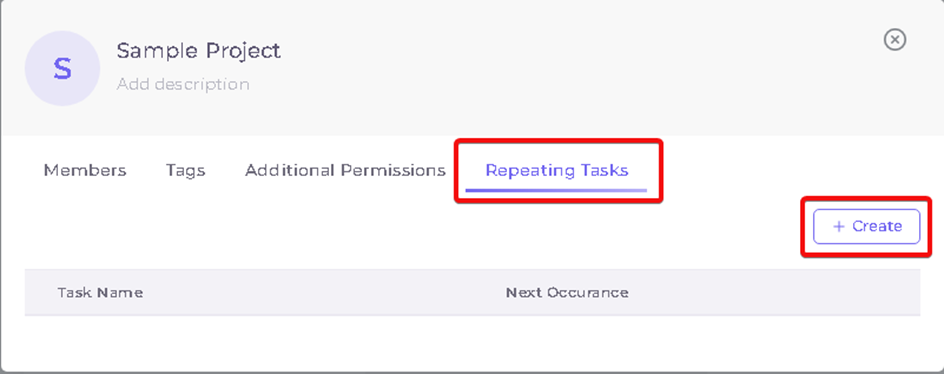
- Repeating Tasks can be created and edit in ‘Repating Tasks’ tab.
Kaynak: AKINSOFT Bilgi Bankası (KOD A3312) · güncellenme 03.04.2025
