Kategoriler
-
Genel (79)WOLVOX (459)e-Dönüşüm (77)e-Ticaret (473)Bulut Yazılımları (135)Sektörel Programlar (61)Tasarım & Raporlama (1)Veritabanı & SQL (21)Donanım Entegrasyonları (55)İnsan Kaynakları & PDKS (19)Kurulum, Lisans & Bakım (31)Geliştirici (1)Yardım Dokümanları (15)Sürüm Notları (56)English Documentation (240) • WOLVOX ERP (132) • Barcode Sales (20) • E-Commerce (15) • Restaurant (15) • General Information (14) • CafePlus (11) • TaskPano (9) • MSSQL Server (6) • QR Menu (5) • End-Year Transactions (3) • Hardware Integrations (3) • WebConnect (2) • Hotel (2) • Control Panel (1) • Mobile Sales (1) • Sectoral Programs (1)
Creating TaskPano Task and Task Settings
Creating Tasks
Follow steps in below to create a task in TaskPano.
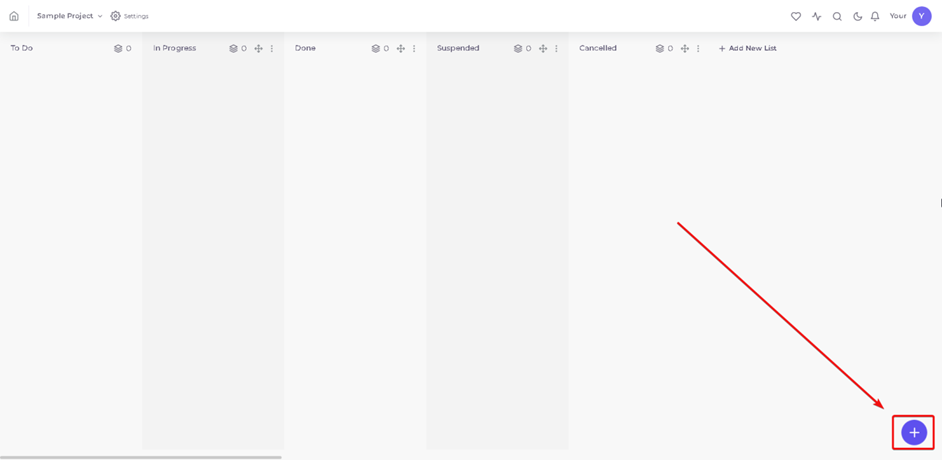
1.Press ‘+’ button to create new task in page of related project.
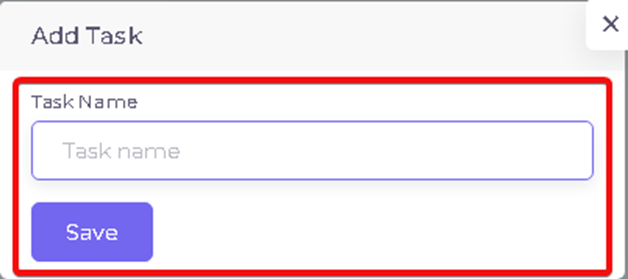
2.Name the Task.
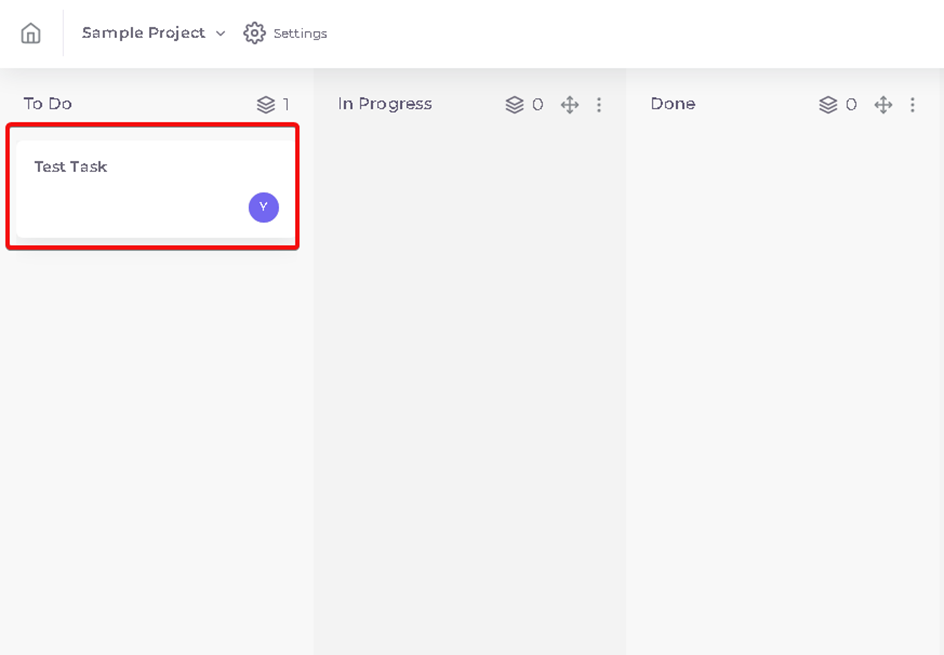
3.Press any task on list to edit tasks.
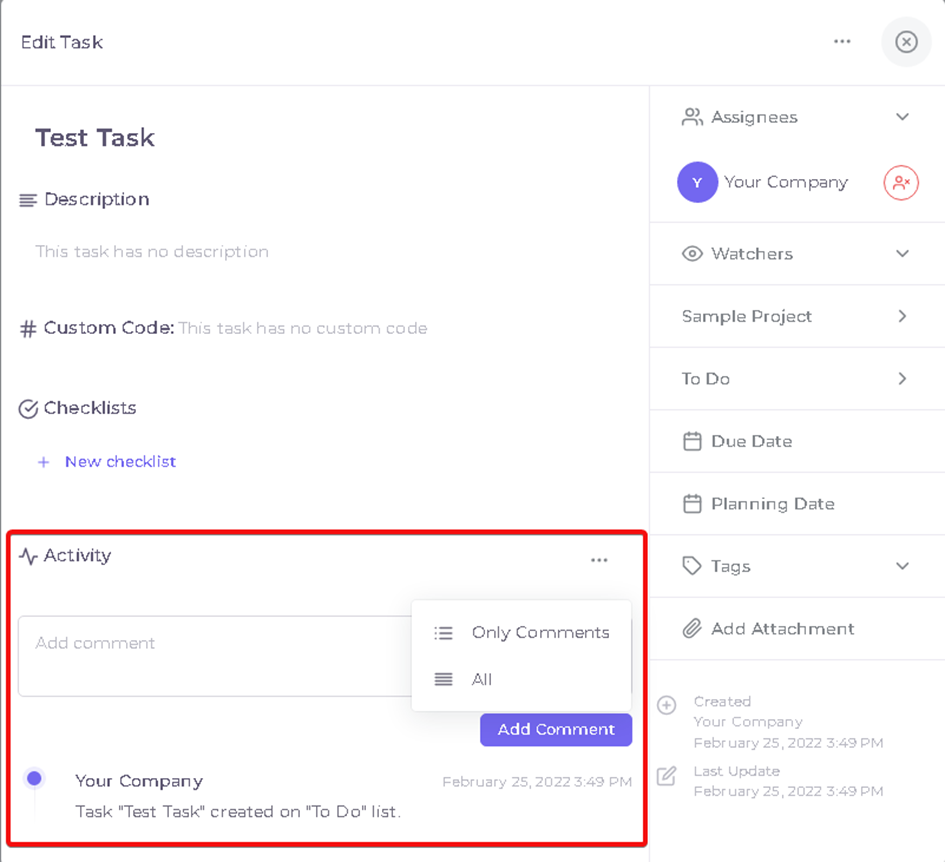
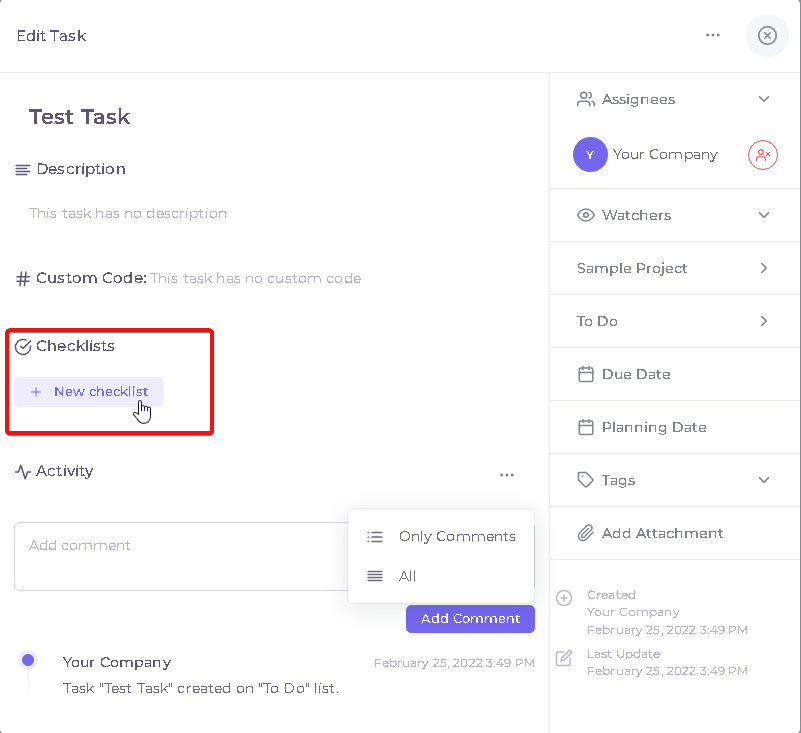
Process you can do in this field as below;
- Tasks can be renamed by pressing current task name.
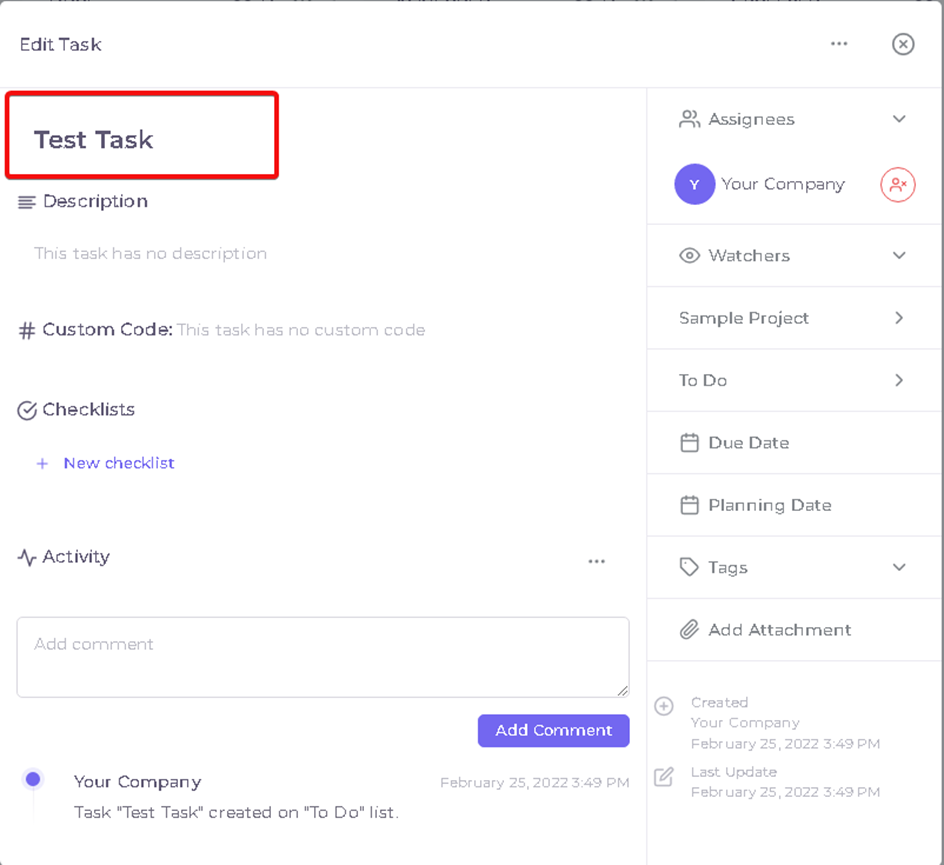
- Tasks can be described in ‘Description’ field.
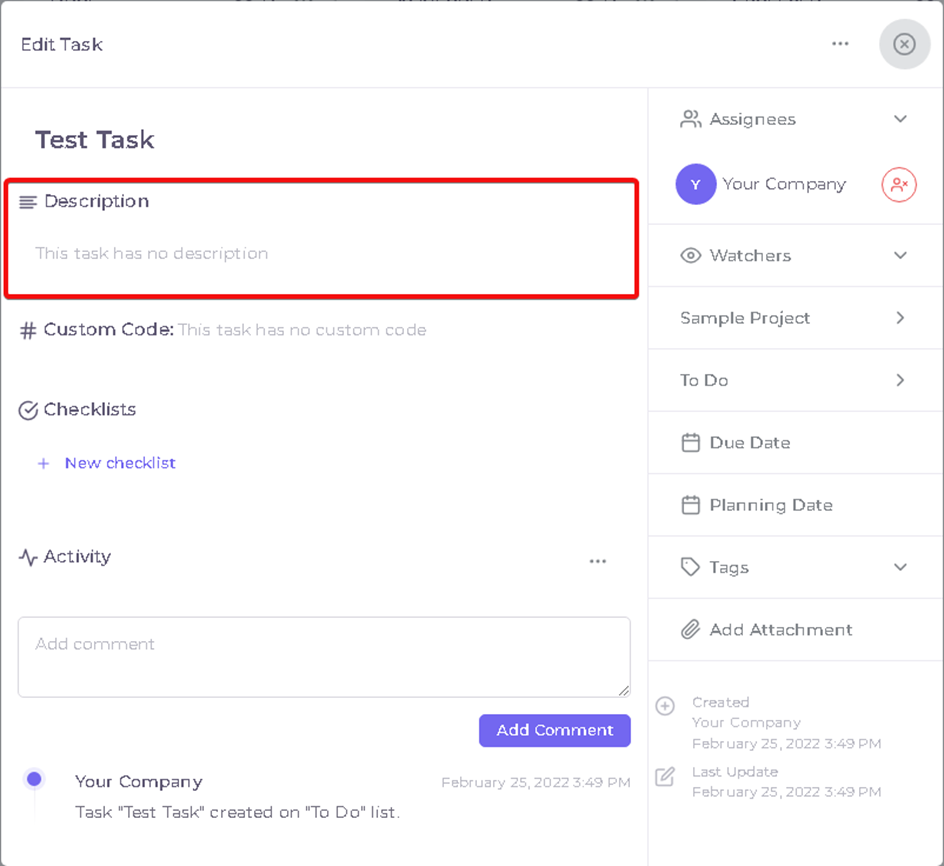
- Changes in task can be seen in ‘Activity’ field.
- Things must be done in task can be created by pressing ‘New CheckList’
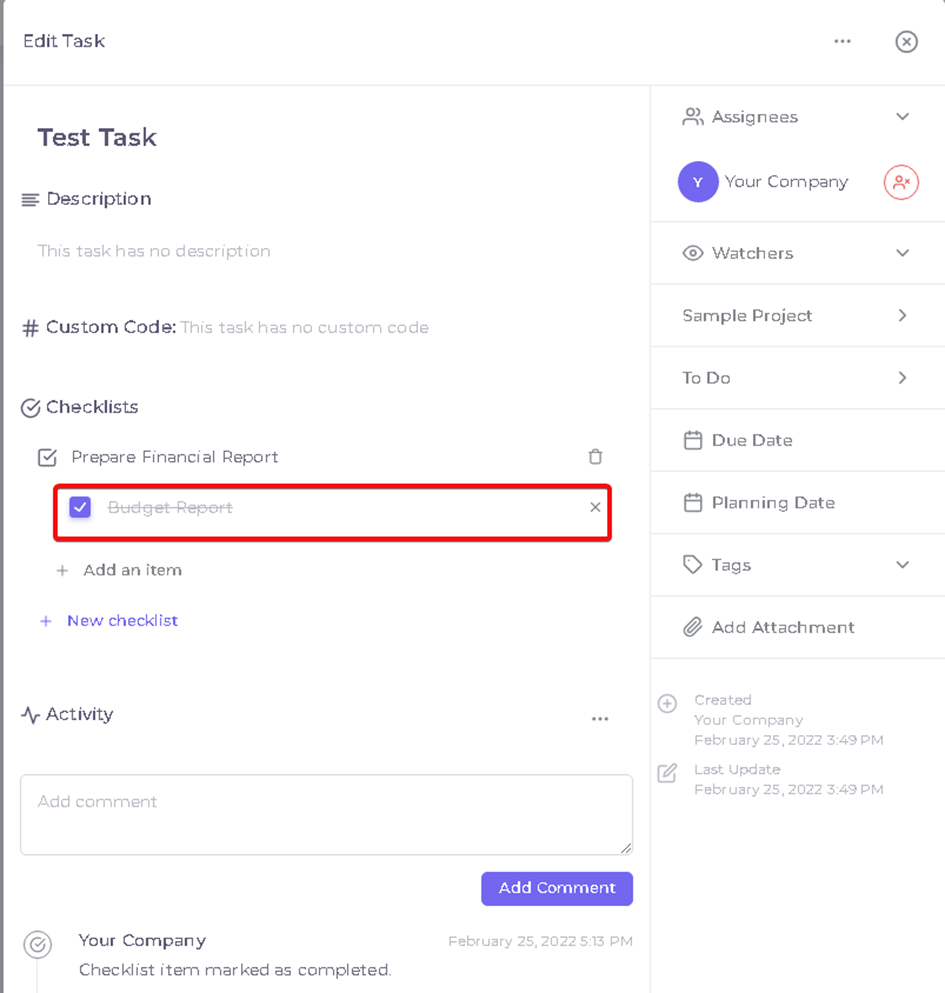
- Checklist you created will look like as below
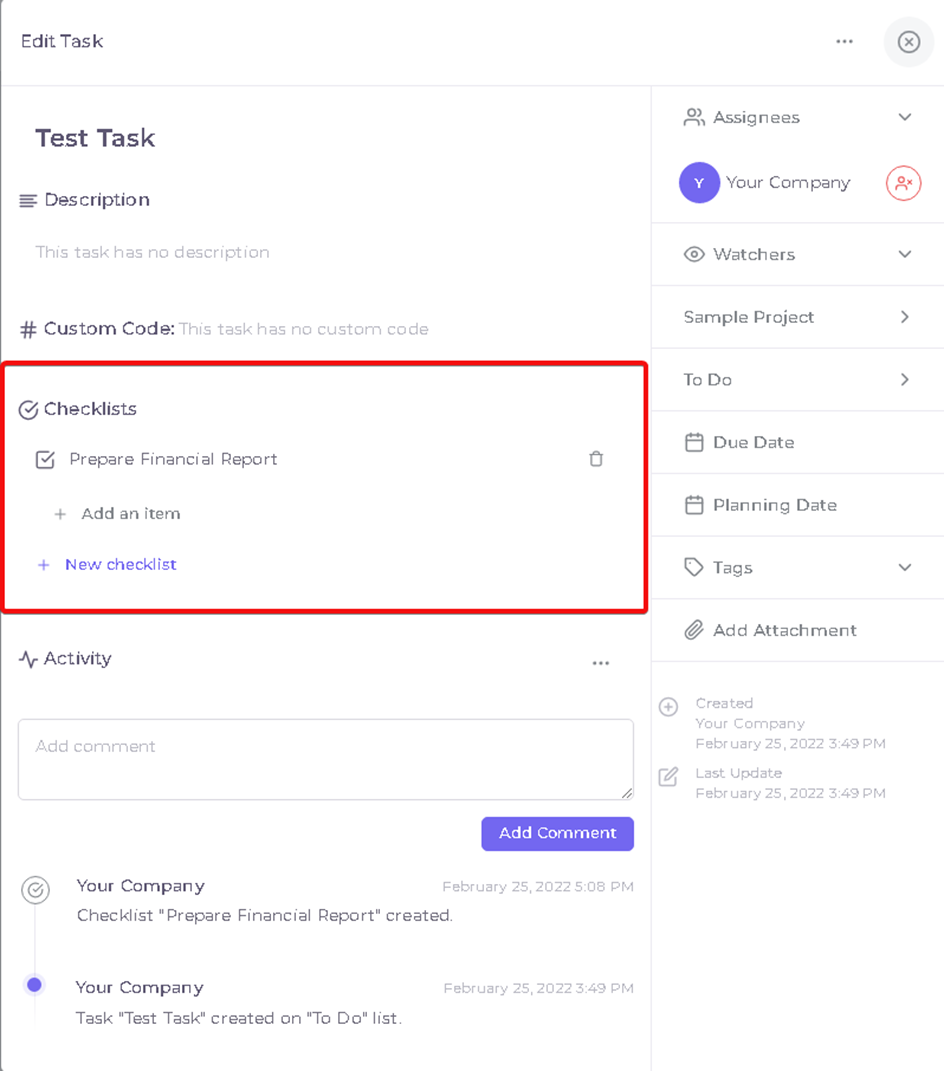
- Member who is assigned to task can marked as done by pressing the checkbox near of item.
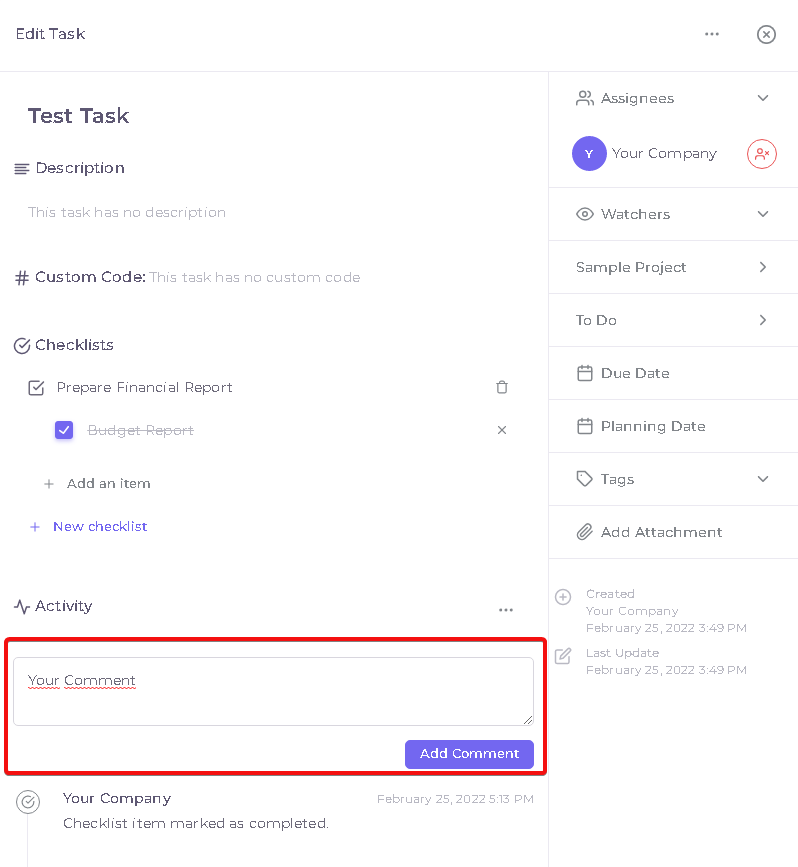
- Information about process can be add in Add comment field.
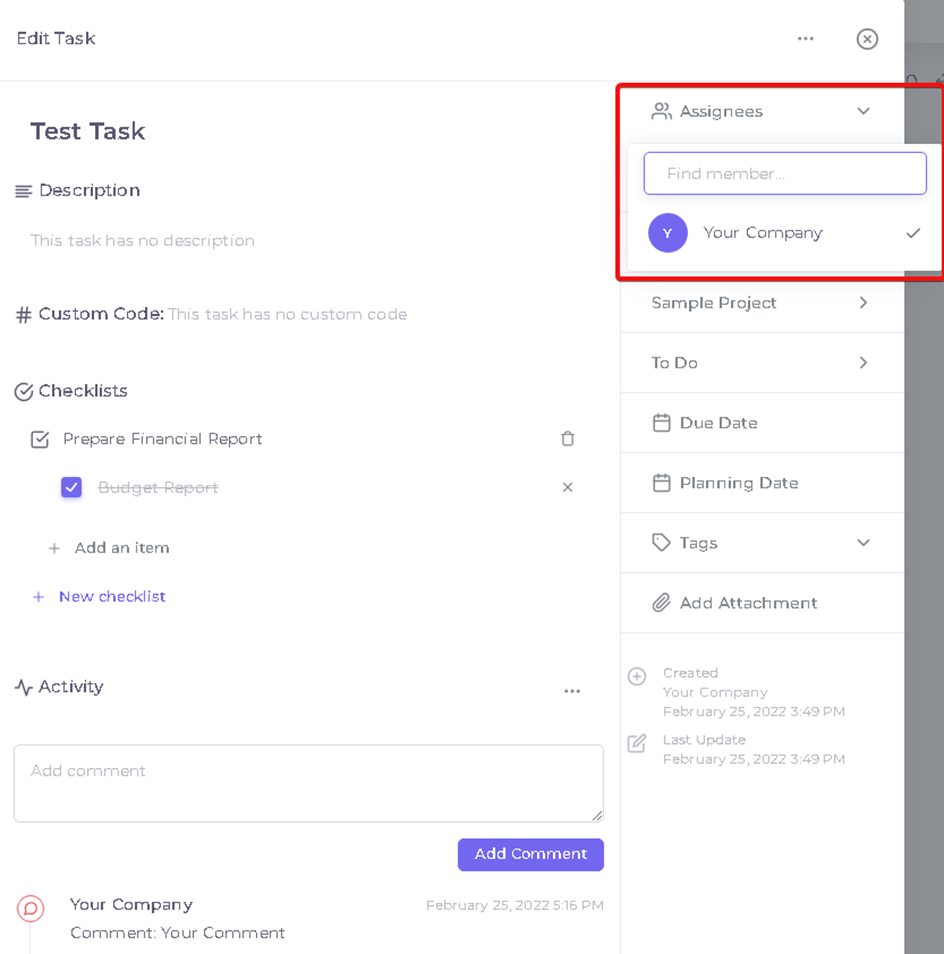
- Member or members can be add in task as watchers in ‘Assignees’ field. So they can track process.
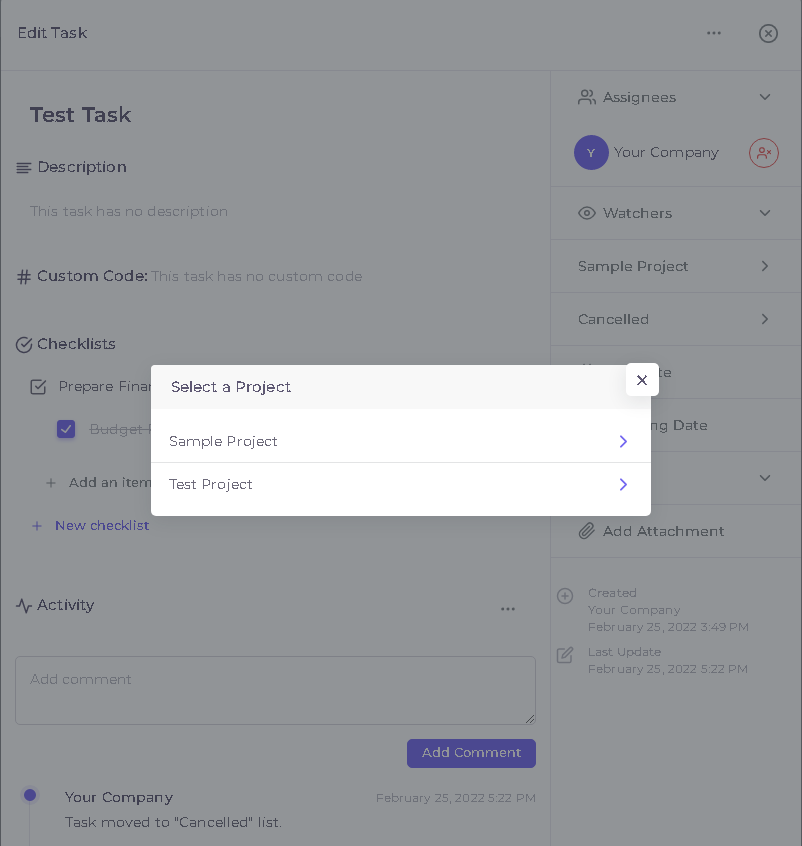
- You can move the task to list of another project by pressing project name.
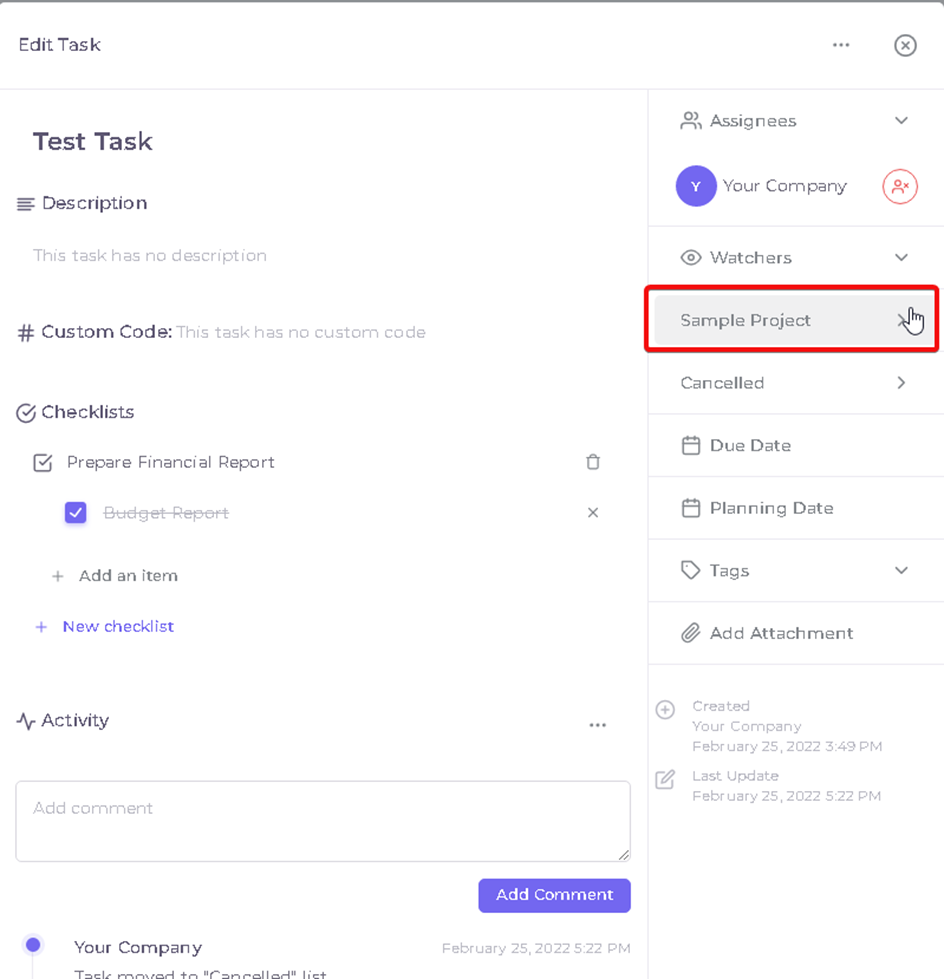
You will see other Projects that you assigned when project name is pressed.
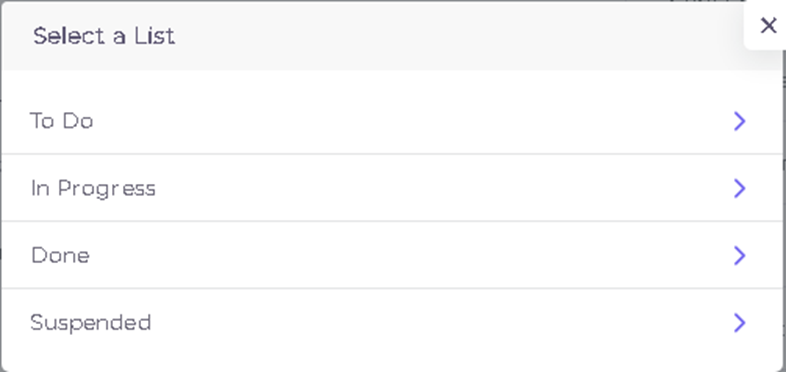
- You can move task to another list by pressing list names

- Default lists or lists are created by you will show up in this page.
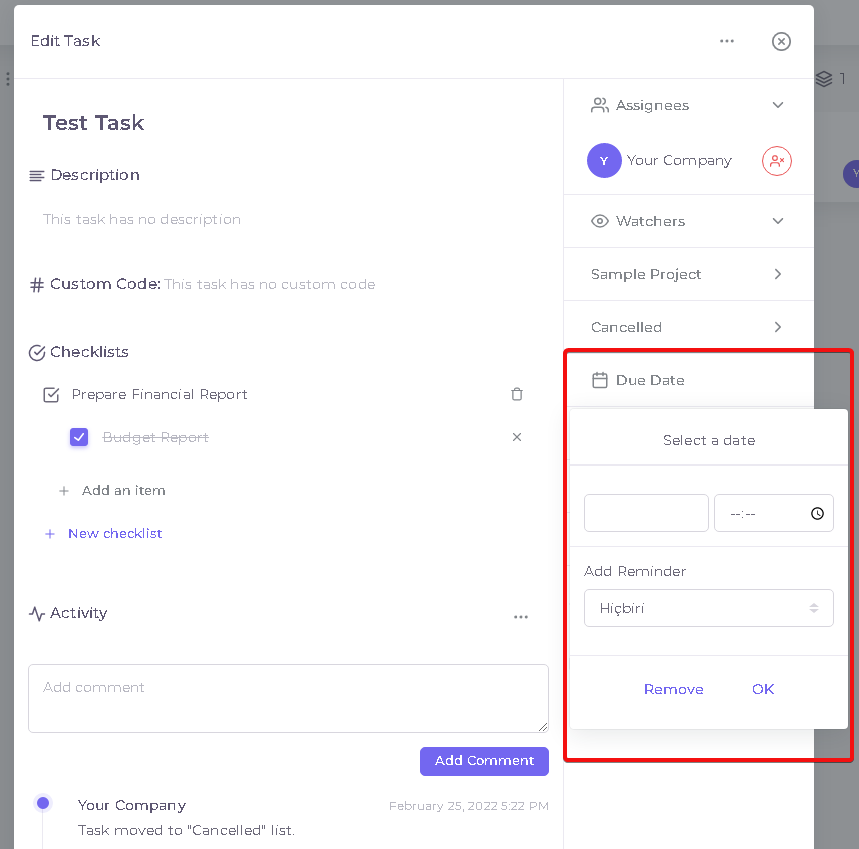
- Due date can be add in due date field. Reminder can be add also if you want to get notification earlier from due date.
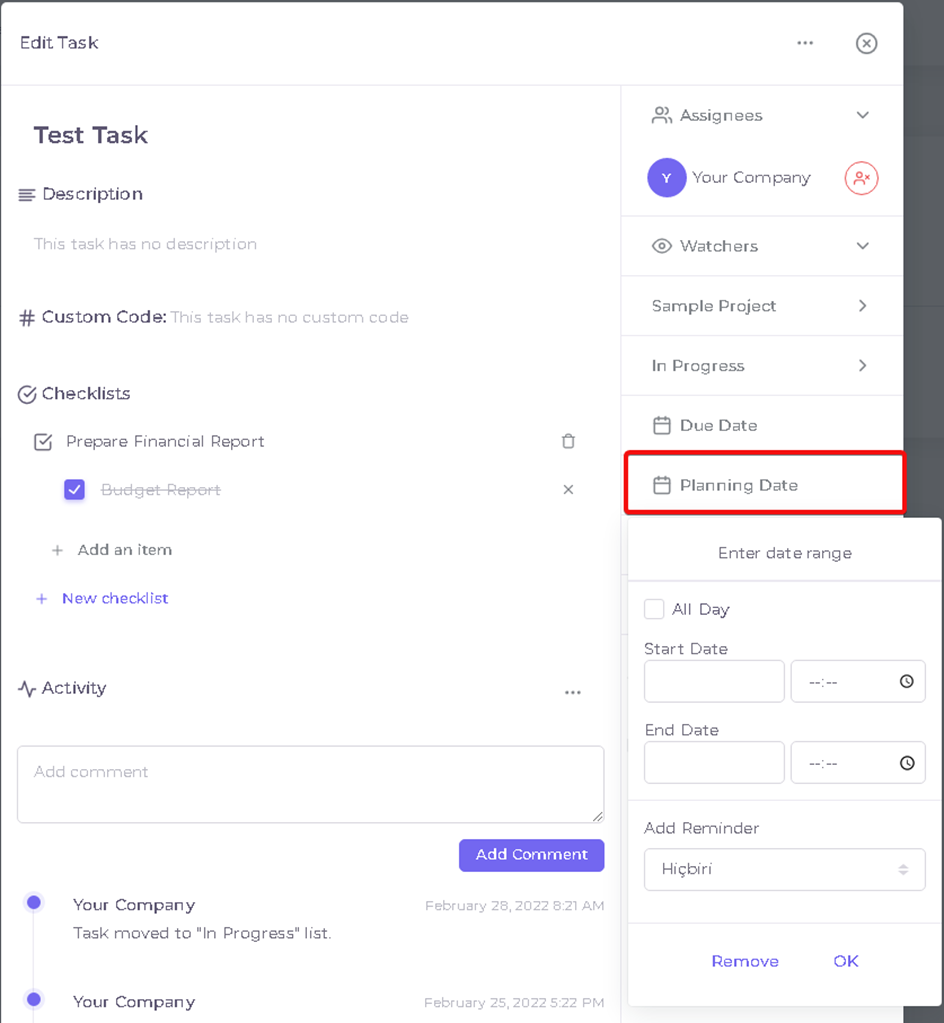
- Planned tasks can be manged in ‘Planing Date’ field. Start and end date can be entered and can be add reminder earlier from start date to get notification.
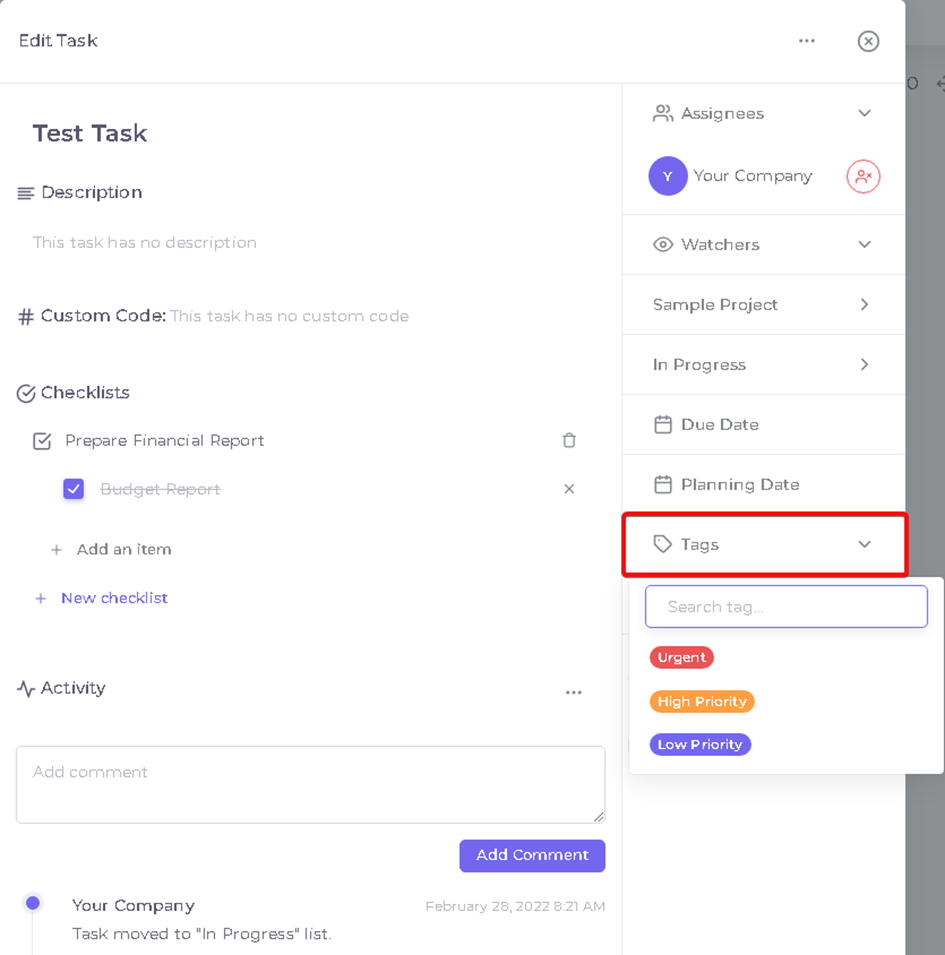
- Tags you created in project settings can be add to task in ‘Tags’ field.
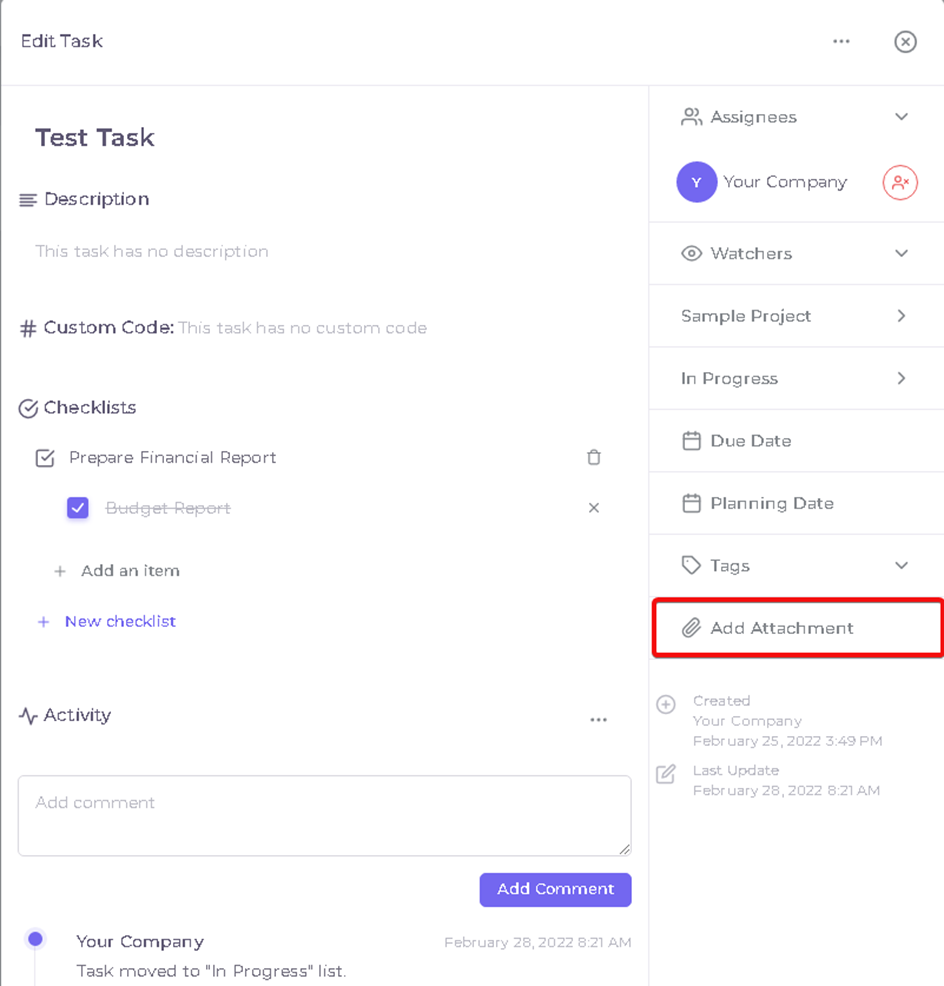
- Folders, images and etc can be add in ‘Add Attachment’ field.
Kaynak: AKINSOFT Bilgi Bankası (KOD A3314) · güncellenme 04.04.2025
